Your OpenWrt router,
over SSH.
No agent on the router. No cloud in the middle. Nothing scraped out of LuCI. WrtPulse opens an SSH session and runs the same commands you would type yourself — then shows you the answer.

Everything the router can do from a shell
If OpenWrt can do it at the prompt, the app can do it. If it cannot, the app does not pretend otherwise.
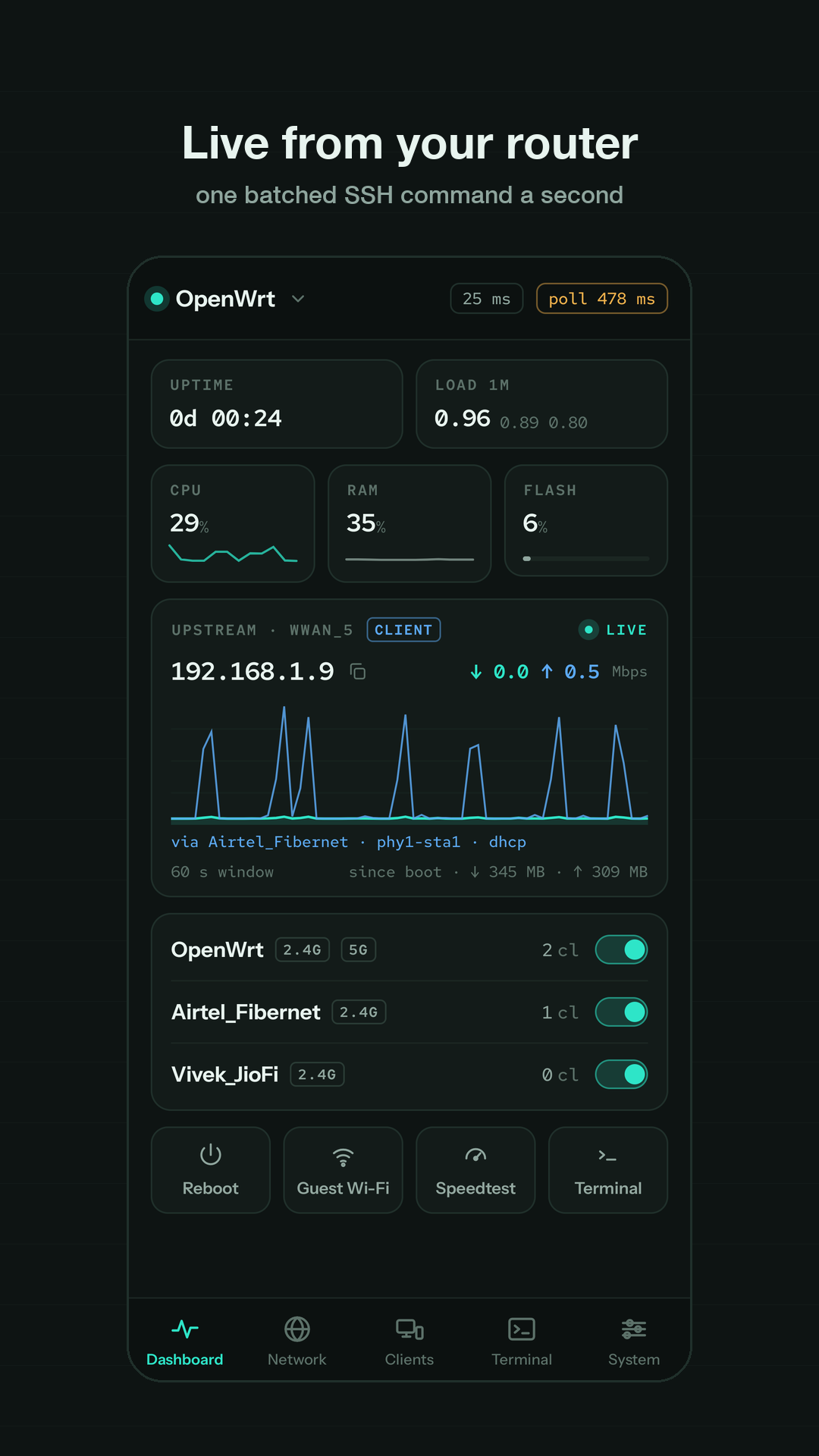
Live, one command a second
CPU, RAM, flash, load, uptime and throughput from one batched SSH call. The upstream card follows whichever interface actually holds the default route — cable or Wi-Fi client. Reboot, speed test and a one-tap isolated guest network.
Every device, named
Wireless and wired, with signal, lease and per-client usage when nlbwmon is installed. Rename, block, wake-on-LAN, and DHCP reservations from the row.
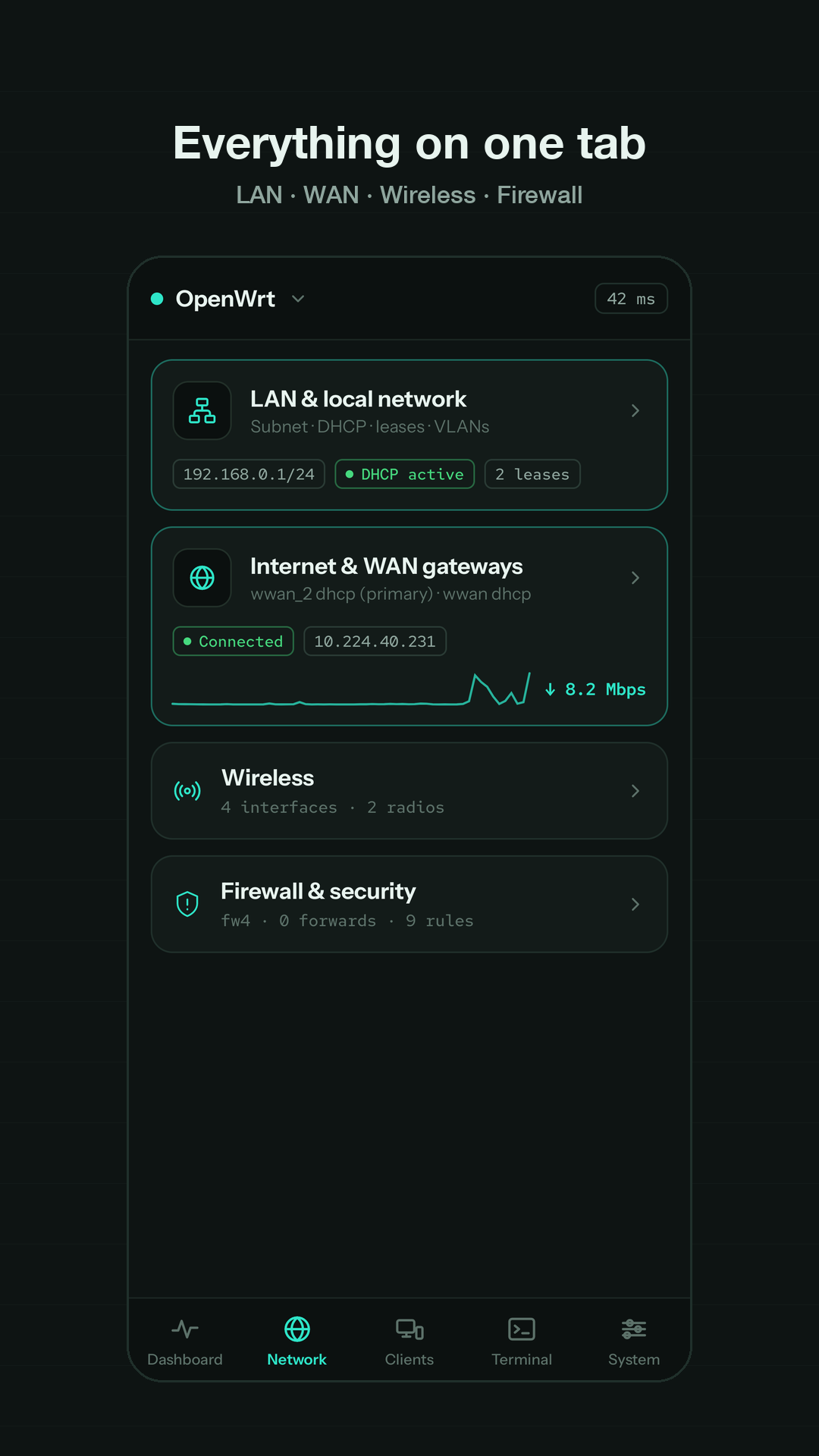
LAN, WAN, wireless, firewall
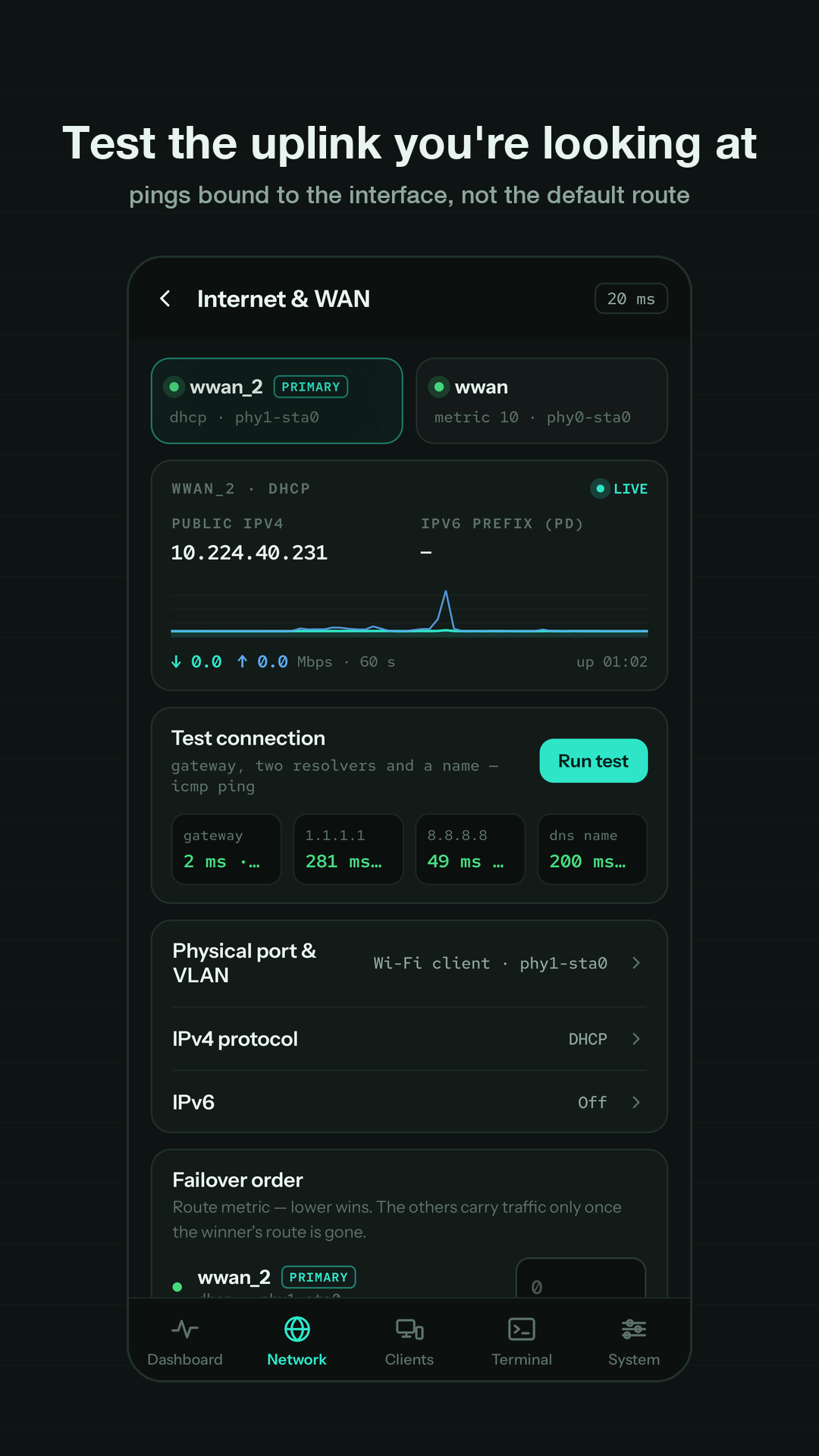
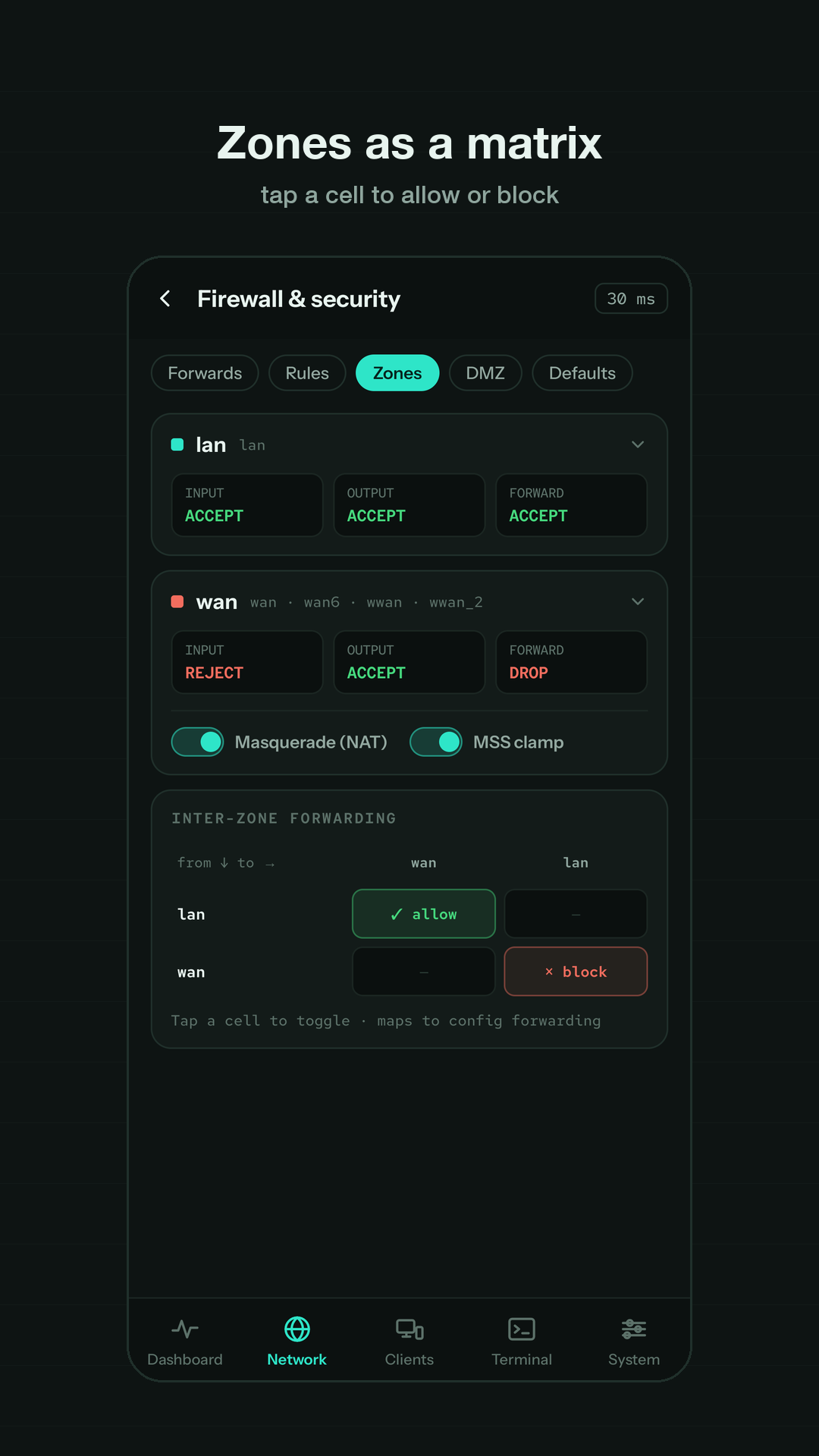
Subnet, DHCP and static leases, switch VLANs. Every uplink with its port, VLAN tag, protocol and IPv6 — and a connection test bound to the uplink you are looking at. APs and station links, channel scans. Port forwards, scheduled rules, the zone matrix, DMZ, DoS defaults.
A real shell
A VT screen model with cursor addressing, scrollback, selection and paste. Multiple tabs on one connection.
The dangerous parts, done carefully
Live logs, packages (apk and opkg), services, firmware upgrades through five gates, backup & restore, regulatory domain, SSH keys, factory reset.
Staged, diffed, applied once
Every edit is staged and shown as a diff before it lands in one uci batch. A change that carries the connection itself is applied with the router's own rollback armed, so a mistake undoes itself.
Four rules, everywhere
The same discipline on every screen, because a router is the one device you cannot walk over and reboot from your phone if you get it wrong.
Show the command
Every action shows the exact shell command it is about to run. No hidden magic.
Dry-run first
Where the router offers one — apk add --simulate, opkg --noaction, sysupgrade -T, a uci diff — the app runs it and shows the answer before anything changes.
Refuse what cannot be undone from a row
Flashing firmware, restoring a backup, a factory reset: each gets its own screen that names exactly what it will cost, and a three-second hold.
Trust the router over the app
Exit code 0 is not success. The app re-reads the router to confirm what actually happened.
Screens
Taken on a real router, not a mock.
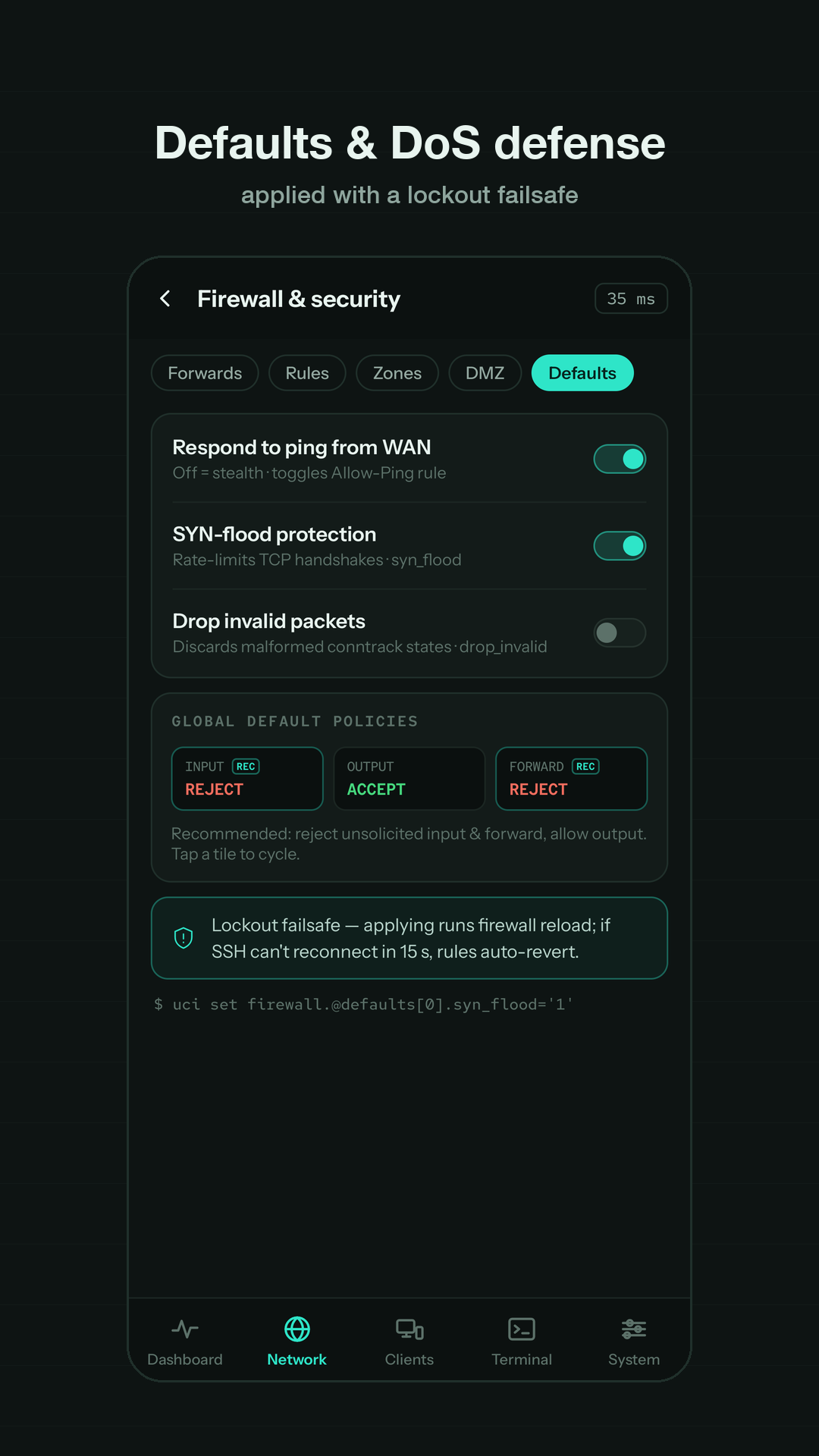
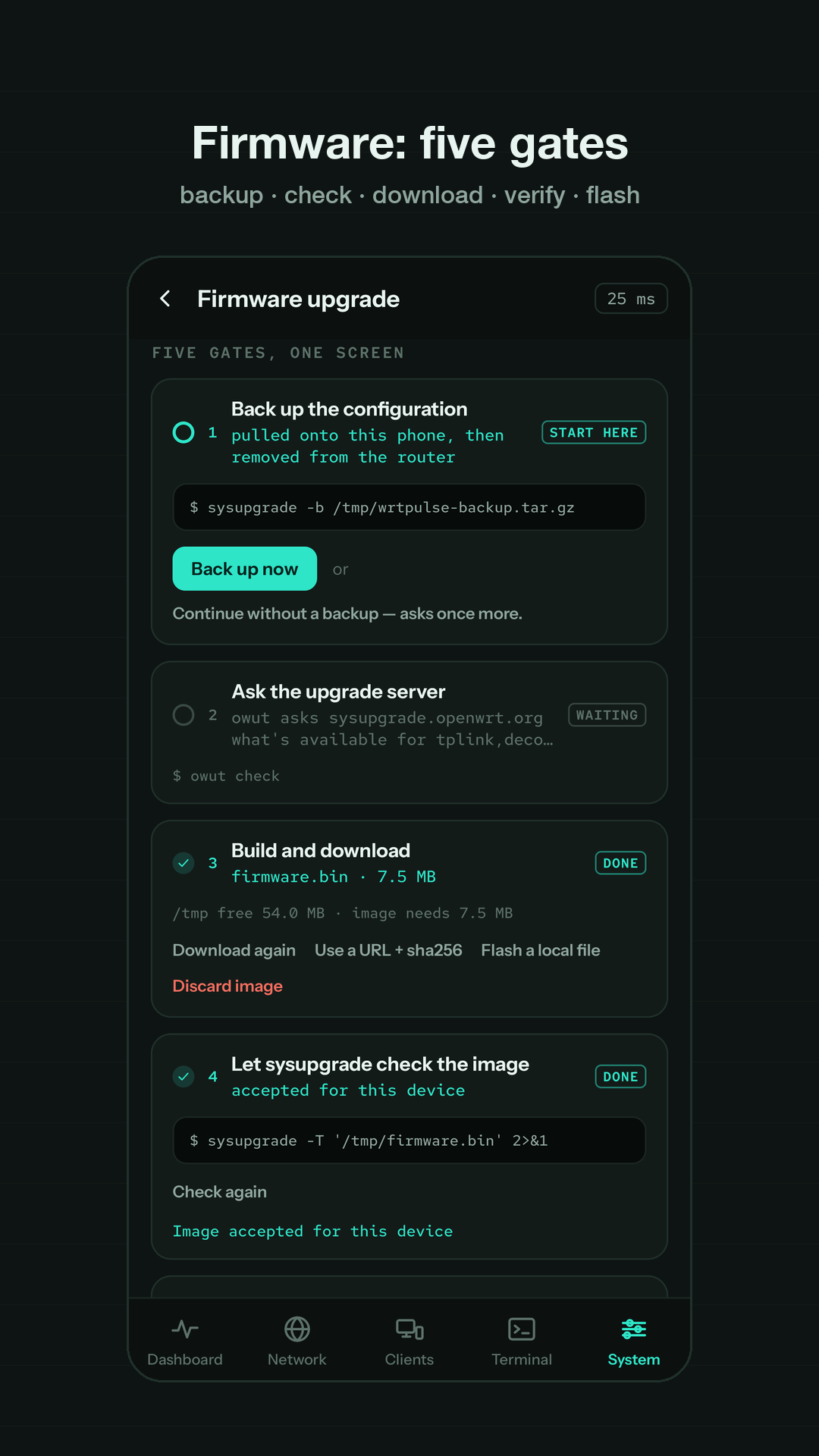
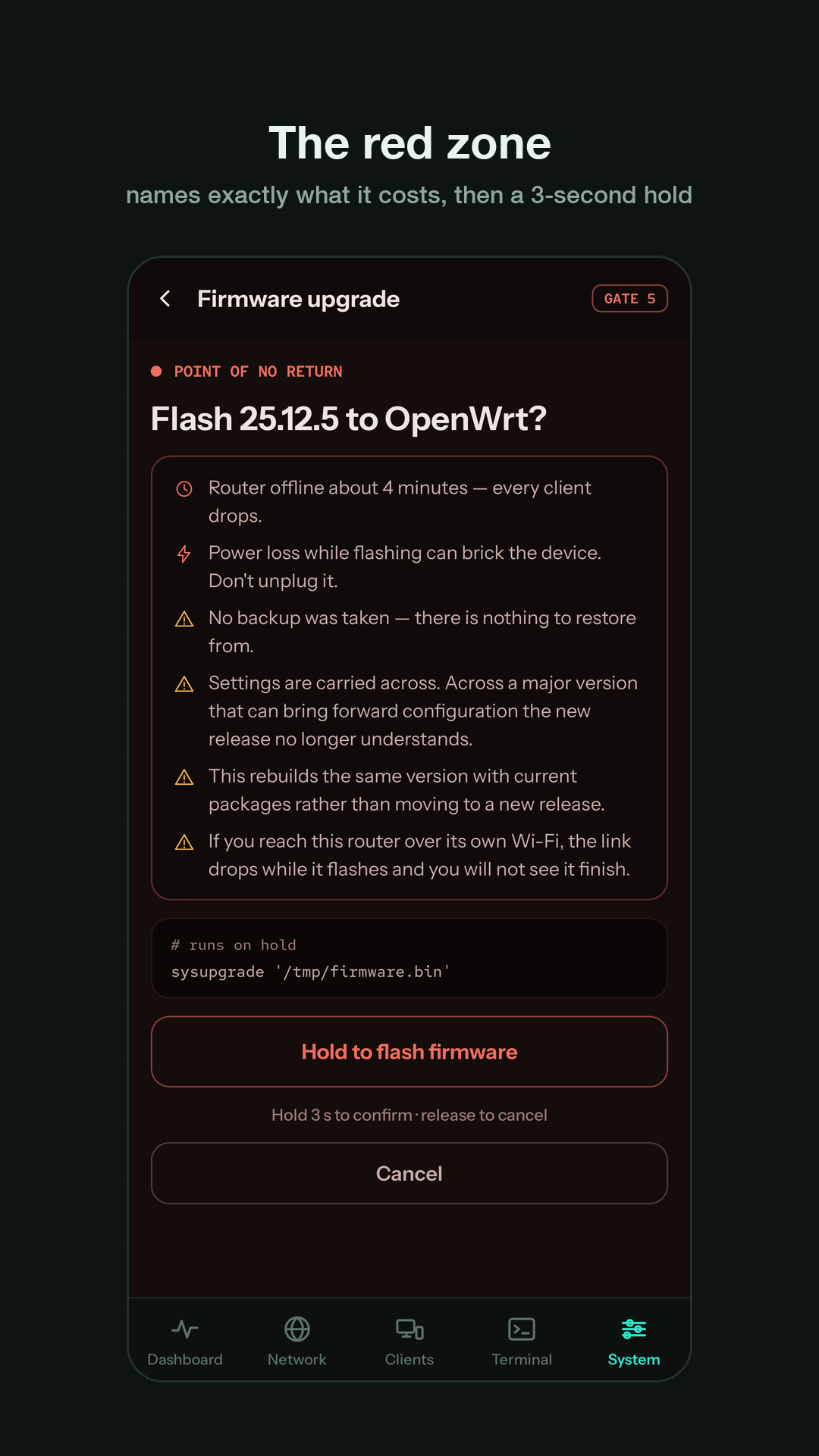
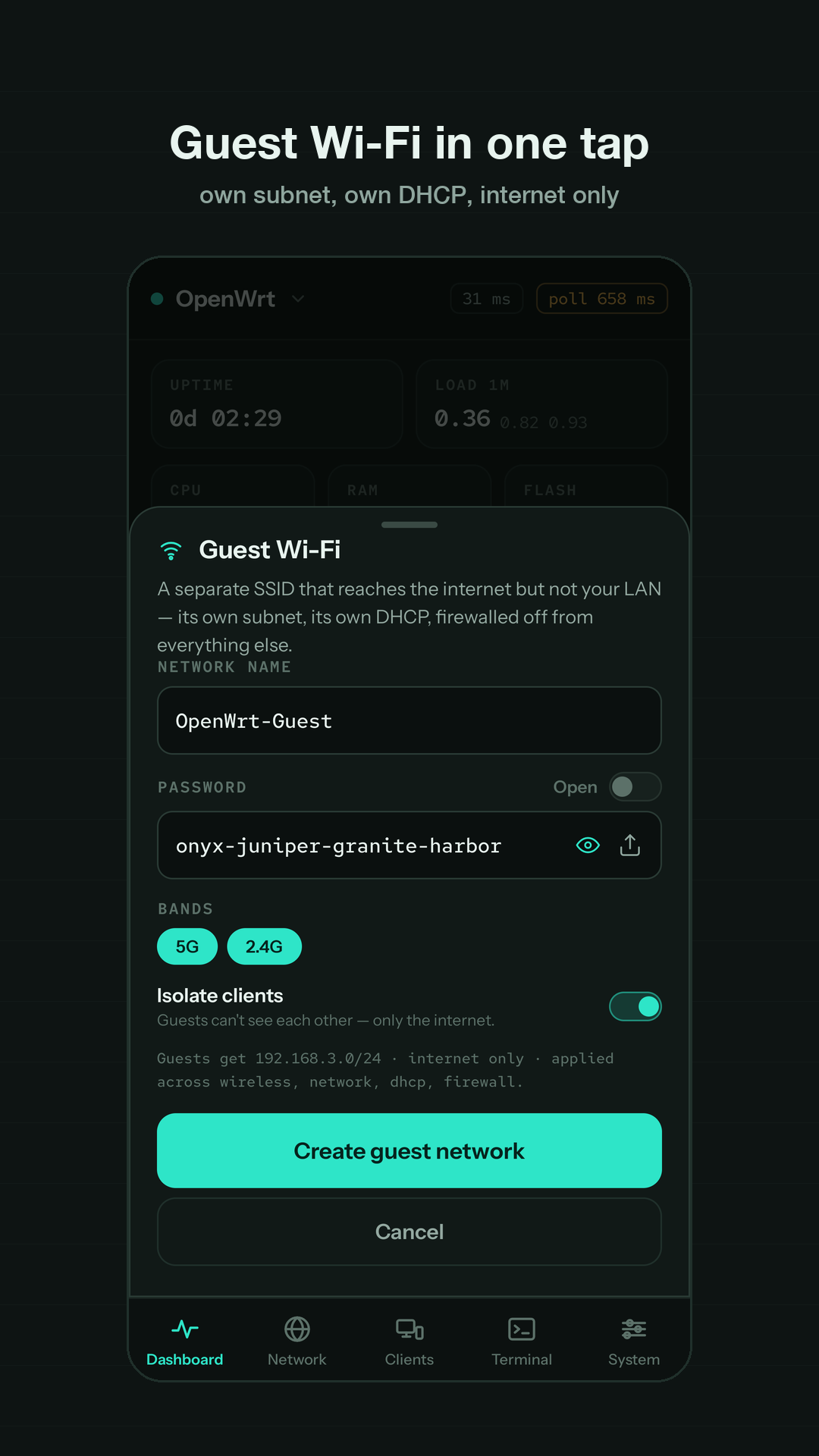
Security
The app talks to your router and to nothing else. There is no account, no server of ours, no analytics, no ads.
- Credentials never leave the phone. Passwords and private keys are sealed with an Android Keystore key and stored in app-private storage.
- Host keys are pinned on first contact. A changed key stops the connection until you say otherwise — the app shows both fingerprints and lets you decide.
- Bring your own key, or let the app make one. It can generate an ed25519 key, install it on the router, and prove it works before you rely on it.
- Optional lock. Gate the app behind your device's screen lock or biometrics. The app never sees biometric data — Android does that part.
Full details in the privacy policy.